Cinematic love story videos are trending on Instagram, TikTok, and other social media platforms. The best part is that you don’t need advanced editing skills or a professional video editor. With a good photo and the right AI prompt, you can create a realistic cinematic video using AI tools like Google Flow.
What Is Cinematic AI Love Story Video Editing?
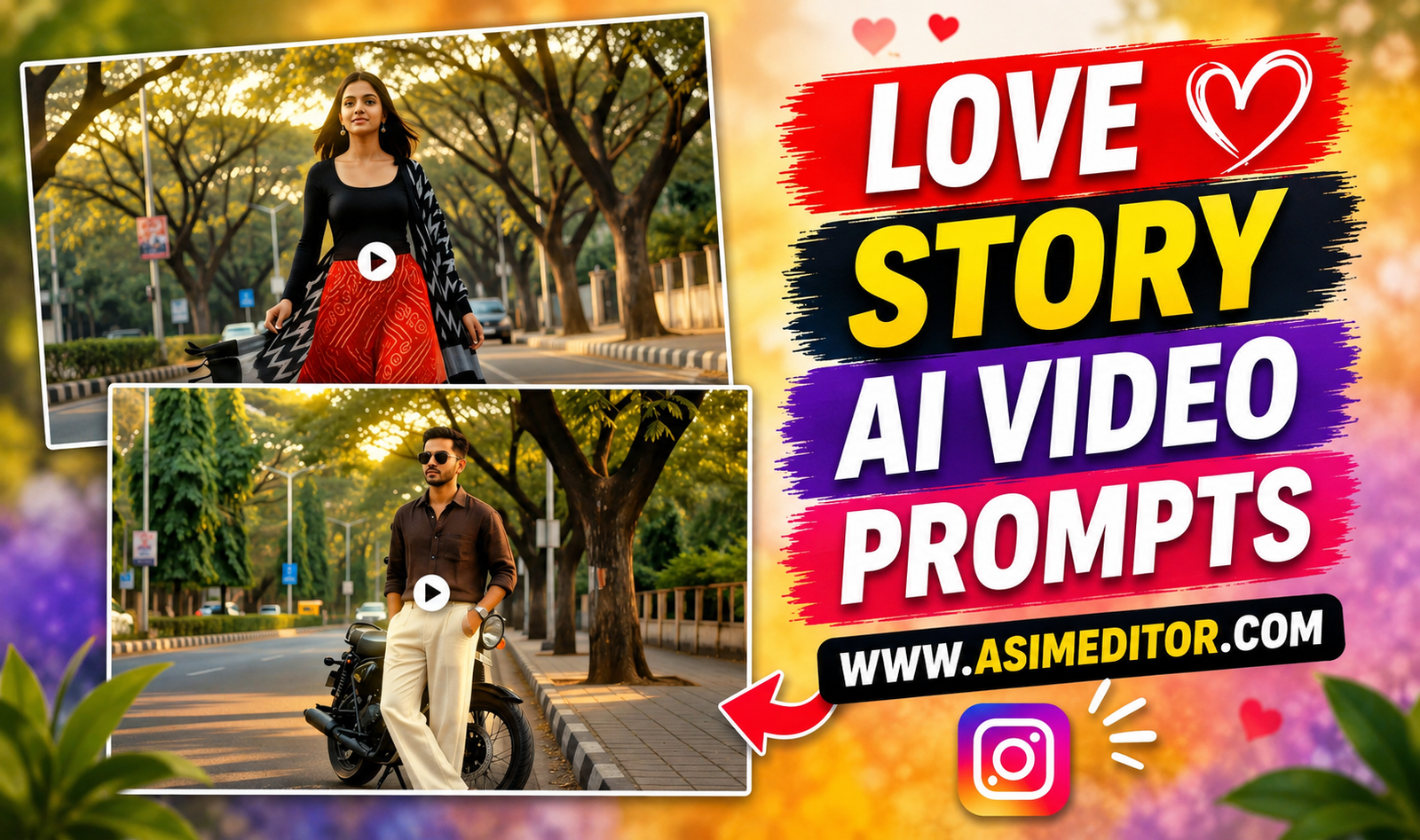
These videos usually show a romantic cinematic scene where a boy waits for a girl on a roadside or near a beautiful location. Slow-motion walking, stylish outfits, dramatic camera movements, cinematic lighting, and smooth transitions give the video a movie-like feel.
You can create similar scenes using your own photos and AI video tools. You can also add your preferred music later in a video editor./
Can You Make These Videos Only With Flow AI?
No. Flow AI is popular because it can create realistic image-to-video results, but it is not the only option. Other AI video tools may also support image-to-video generation.
However, results can vary depending on the tool, photo quality, prompt, and available features. If you want to try Flow AI, make sure your uploaded photo clearly shows your face.
How to Create a Cinematic AI Love Story Video
First, choose a clear selfie or portrait photo. Your face should be visible, and the image should have good lighting. If you are creating a couple video, you can also prepare a suitable photo of the second person.
Next, open Google Flow in your browser and sign in with your Google account. Create a new project, select the video option, and choose the required aspect ratio. For social media Reels or Shorts, a vertical format such as 9:16 is usually more suitable.
Upload your photo and add a detailed AI prompt describing the scene, camera movement, lighting, outfit, background, and actions. Then generate the video and try different prompts if the first result is not perfect./
AI Love Story Video Prompt
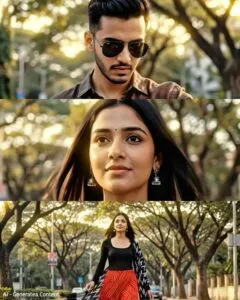
Love Story Cinematic 4K ultra-photorealistic 15s, golden hour on a tree-lined Bengaluru boulevard. 0:00–0:04: Young Indian man (@Image1) stands beside a black bike, wearing a dark brown linen shirt, cream wide-leg trousers, white sneakers, silver watch (@Image3), checking his watch. A black Porsche 911 GT3 passes left-to-right with one horn and a strong wind whoosh. 0:04–0:07: As the car passes, slow motion. Young Indian woman (@Image2) walks from the opposite footpath toward the camera, unaware of him. Wind lifts her straight hair and black-white ikat dupatta. She wears a black full-sleeve top, red bandhani maxi skirt, oxidised silver jewelry, Kolhapuri sandals (@Image4). 0:07–0:10: Close-up of the man looking up, silently captivated. 0:10–0:12: Woman continues walking in slow motion, never looking at him. 0:12–0:15: Close-up of her face, hair settling, warm amber light, shallow DOF, natural expression. Anamorphic lens, documentary realism, natural bokeh, diegetic audio only (horn, wind, city ambience), no music, no filters, no jump cuts. LOVE AT FIRST SIGHT – BENGALURU.
Tips for Better AI Video Results
- Use a clear, high-quality photo.
- Keep the face fully visible.
- Describe the camera movement clearly.
- Mention slow motion when needed.
- Keep the scene simple and realistic.
- Generate multiple versions and choose the best one.
- Add music and final effects after generating the video./
Final Thoughts
Creating a cinematic love story video with AI is much easier than traditional video editing. You mainly need a good photo, a detailed prompt, and a suitable AI video generator. With a few attempts, you can create stylish cinematic clips for Instagram Reels, TikTok, YouTube Shorts, and other social platforms.