
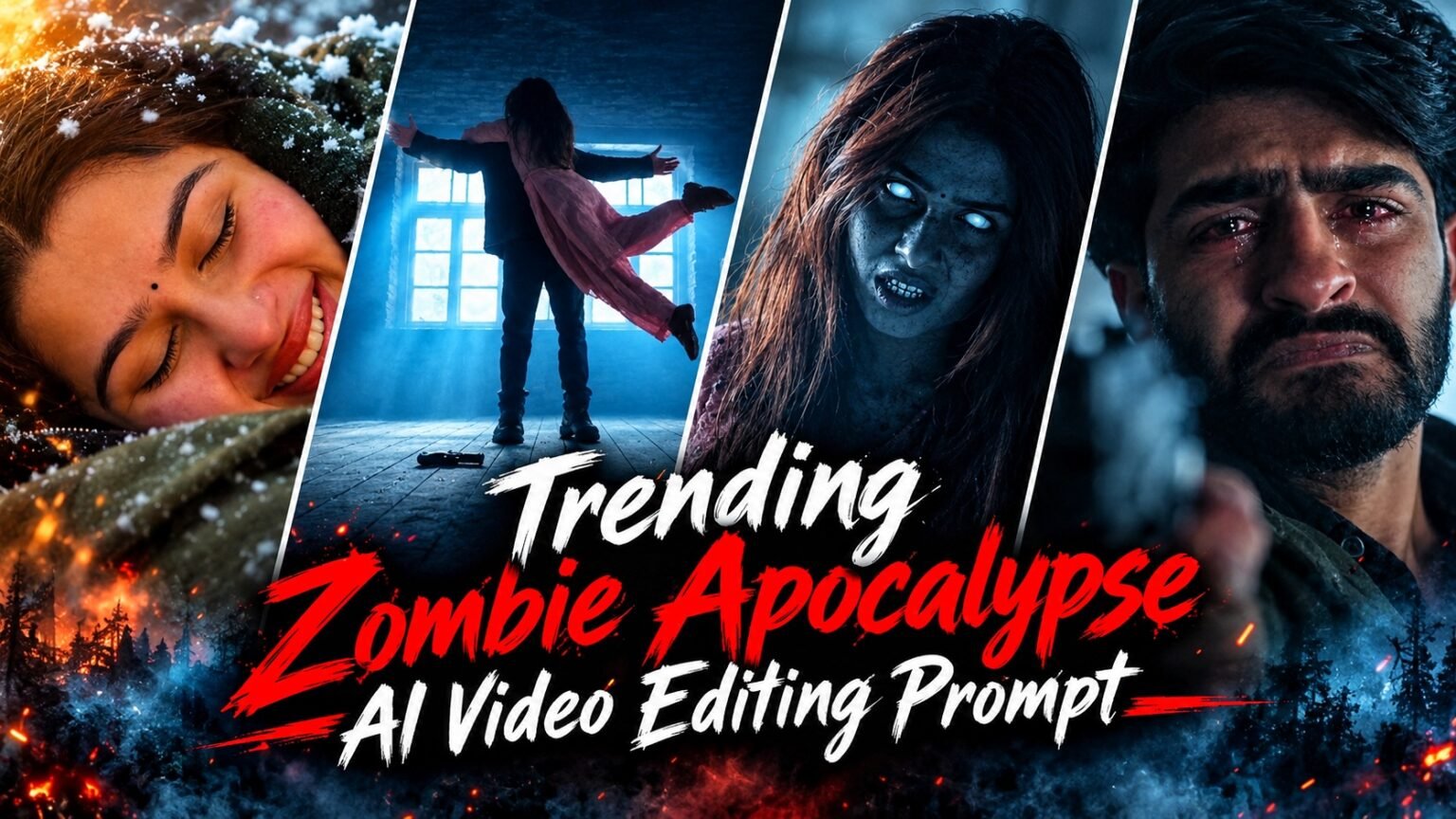
Trending Zombie Apocalypse AI Video Editing Prompt – Friends, “Zombie Apocalypse” AI videos are currently trending on social media. This editing style transforms ordinary photos into a thrilling story, featuring snowy landscapes, the fear of zombies, and nostalgic, romantic memories. If you also want to create such a video using photos of yourself and your partner, this article will show you an easy way to do so using Google Flow and AI prompts.
Details Of Trending Zombie Apocalypse AI Video Editing Prompt
This AI video is based on a unique story that blends a spooky atmosphere with emotional moments. In the video, a person is distressed upon seeing their partner transformed into a zombie in a snow-covered setting. Shortly after, the scene shifts, and the two are seen happily reuniting amidst a beautiful snowy landscape. What makes videos like this special is their cinematic style and the way scenes shift abruptly. If you, too, want to create such creative videos from your photos, let’s explore how to use the right AI tools and prompts to make them.
How To Use Zombie Apocalypse AI Video Prompt
To create a zombie apocalypse AI video, upload the necessary images to Google Flow. Then, copy the prompt provided below, enter it into the tool, and generate the video according to the instructions. Once the video is generated, review all its scenes and save it to your device if you are satisfied. In this way, you can create an AI video based on a spooky and emotional story using your own photos. The prompt required to create the video is provided below.

"A cinematic sequence requiring strict facial consistency for both subjects throughout the transition. The characters' core facial structures must remain perfectly accurate while adapting pose, lighting, and background. It begins in a dimly lit, rustic stone cabin. A tearful, bearded man aims a handgun but drops it as a terrifying, supernatural woman with glowing white eyes and messy hair in a pink outfit sprints toward him from the kitchen. As they collide in an embrace in mid-air, the scene seamlessly transitions to a romantic, snow-covered mountain at golden hour sunset. The woman's supernatural features fade into a beautiful, normal human, maintaining her exact facial identity. They fall joyfully into the soft snow. The scene cuts to an intimate close-up of their smiling faces resting in the snow, followed by a wide romantic shot of the couple holding hands and running away together towards the vibrant sunset horizon."Scene Breakdown (for multi-prompting AI tools):Scene 1 (Horror/Drama): Dark interior, a crying bearded man pointing a gun. A zombie-like woman in pink with white glowing eyes runs aggressively towards him.Transition: The man drops the gun, opens his arms, and catches her as she leaps.Scene 2 (Romance): Seamless cut to the couple falling together into a bright, snowy landscape during a golden sunset.Scene 3 (Close-up): Close-up on their faces lying in the snow, smiling peacefully with snow gently falling on them.Scene 4 (Wide Shot): The couple holding hands, running away from the camera in the snow towards the setting sun.
How To Create Zombie Apocalypse AI Video
If you want to create videos like the viral zombie stories seen on social media, you can easily do so with the help of AI. First, go to Google Flow and select an initial image that matches your story. Then, use the right prompts to convert the various scenes into videos. To achieve better results, include instructions that ensure consistency in faces and characters across every scene. Once all the clips are ready, combine them and save the final video according to your preference.
How To Make Realistic Zombie AI Videos
To create realistic-looking zombie videos with the help of AI, first craft a detailed prompt that clearly describes the zombies’ appearance, their movements, the ruined city, and the eerie atmosphere. Then, use this prompt in an AI video generation tool to create the video according to your vision. To achieve better results, focus on realistic actions, cinematic camera angles, natural lighting, and intricate details in your prompt. This way, you can create stunning, realistic-looking zombie apocalypse videos with the help of AI, without needing to shoot with a camera.
Conclusion
If you want to transform photos of yourself and your partner into a unique horror video, a “zombie apocalypse” AI video could be a great option. Using AI, you can create a narrative set amidst widespread devastation that culminates in a special, emotionally resonant scene. Select your photos to create a video, and follow the prompt instructions while using them as reference images in Google Flow. This way, you can create an engaging and cinematic video from your ordinary photos.


ChAhad