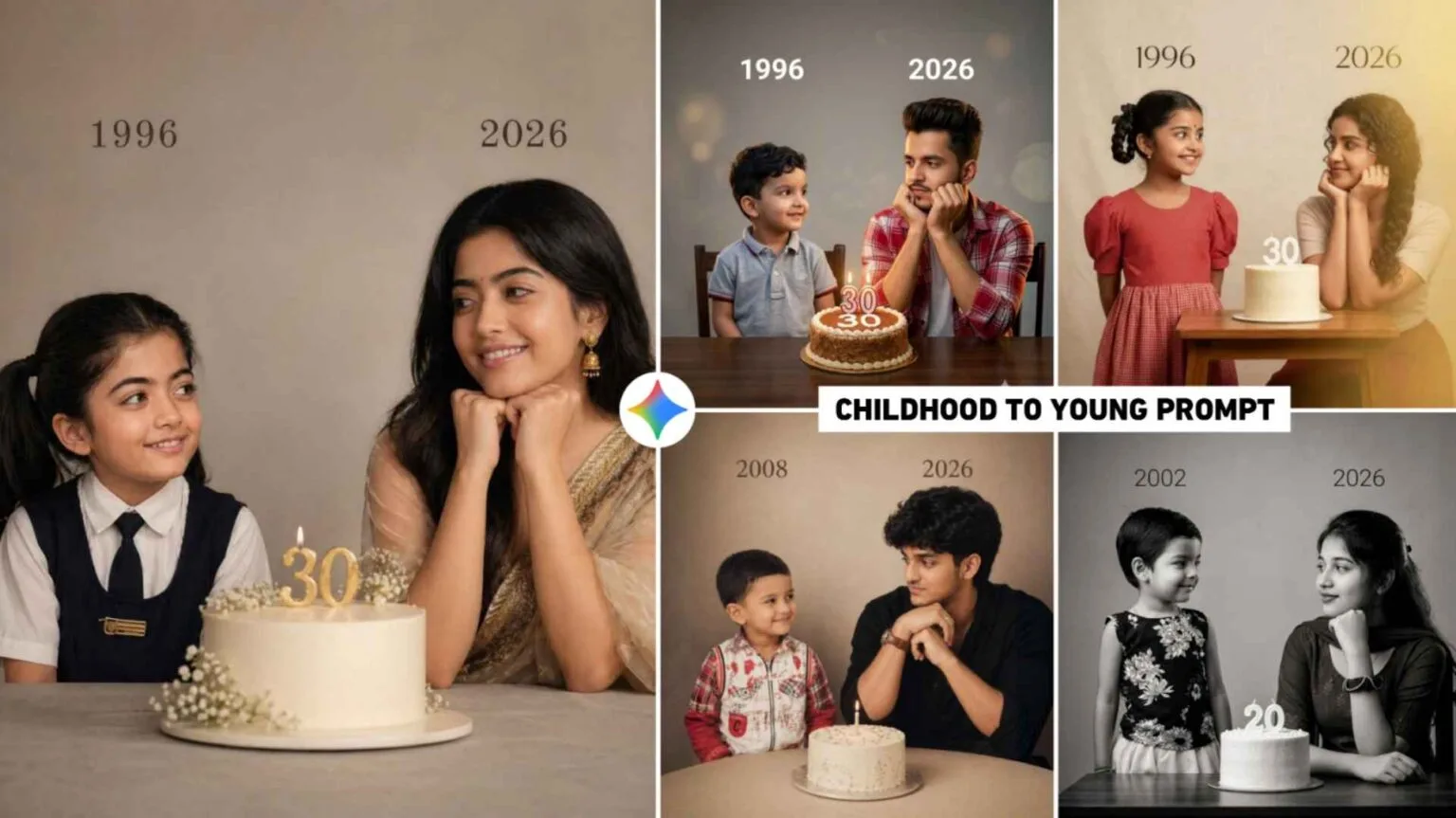
AI photo editing is becoming one of the biggest trends in 2026, especially with tools like Gemini. One popular trend is the childhood-to-young transformation photo, where users show their growth journey in a single creative image. These edits are perfect for birthdays, social media posts, and reels. In this article, you will learn what Gemini childhood to young AI prompts are, why they are trending, and how you can easily create them on your mobile.
What is Gemini Childhood To Young AI Photo Editing Prompt?
Gemini childhood to young AI photo editing prompts are specially written instructions used in AI tools to generate or edit images that show a person’s transformation from childhood to adulthood.
These prompts guide the AI to create realistic and emotional visuals. For example, a single image may include:
- A child version of a person on one side
- A young or adult version on the other
- A smooth blend or transition effect
These prompts are highly customizable. You can add details like:
- Birthday theme 🎂
- Cinematic lighting
- Realistic skin tones
- DSLR blur background
This type of AI editing is widely used for birthday edits, Instagram reels, and profile photos.
Childhood To Young Ai Prompts
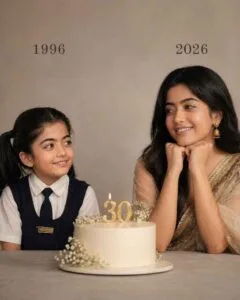
On the left: a child version of me (from a childhood photo) looking with an innocent smile to the right, with 1996 written above it. 342 On the right: A present version of me (from a recent photo) sits with her hands under her chin and looks at the child with a calm smile, with “2026” written above her. In the middle: a table with a simple, elegant birthday cake with number 30 on top. Studio background: plain and soft (studio background) The lighting: Soft, cinematic, warm (even a black -and-white photo).Style: Professional, minimal, emotional photography, focusing on feelings and visual communication between the two versions. Make the picture look so real like a real photoshoot. Keep my original features without changing. photo size 4:5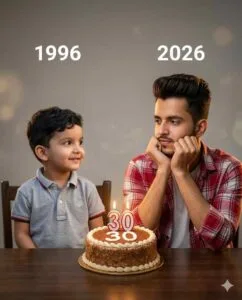
Using my uploaded childhood and recent photos, create a hyper-realistic 4:5 emotional studio portrait of two versions of the same boy—childhood me on the left with an innocent smile looking right under “1996,” present me on the right sitting with hands under chin looking left under “2026,” with a simple elegant table and realistic birthday cake with number 30 candle in the center, plain soft studio background, warm cinematic lighting, minimal professional photoshoot style, ultra-detailed and natural, keeping my original facial features unchanged.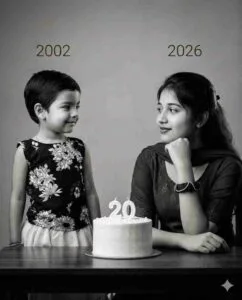
Use my uploaded childhood and recent photos to create a hyper-realistic 4:5 black-and-white emotional studio portrait—childhood me on the left with an innocent smile looking right under “2002,” present me on the right sitting with hands under chin looking left under “2026,” with a simple elegant table and birthday cake with number 20 in the center, soft plain studio background, cinematic lighting, minimal professional photoshoot style, and keep my original facial features unchanged.
Why is Gemini AI Photo Editing Trending in 2026?
1. Emotional Storytelling
People love showing their journey from childhood to present. These edits create a strong emotional connection and are perfect for sharing memories.
2. Easy to Use on Mobile
You don’t need professional skills. With simple prompts, anyone can create high-quality images directly from their smartphone.
3. Perfect for Birthdays
Birthday edits are trending because users can showcase their growth in a stylish way. Adding candles, cake, and age text makes the image more special.
4. Viral Social Media Trend
Platforms like Instagram and TikTok are filled with transformation edits. These posts get high engagement, likes, and shares.
How to Make Gemini Childhood To Young AI Photo Editing Prompts?
Step 1: Open Gemini AI Tool
Use any Gemini-supported AI image generator or editing app on your mobile.
Step 2: Upload or Describe Image
You can either upload your photo or describe your face and features in text form.
Step 3: Use This Sample Prompt
Prompt:
“Create a realistic childhood to young transformation image of a boy. On the left side, show a 5-year-old child with a cute face, soft lighting, and simple background. On the right side, show a 20-year-old young version with sharp details, stylish look, cinematic lighting, and DSLR blur background. Add a birthday theme with cake, balloons, and glowing text ‘Happy Birthday’. Ultra HD, realistic skin tones, vibrant colors.”
Step 4: Customize Your Prompt
You can modify:
- Age (5 to 18, 10 to 25, etc.)
- Gender
- Background (park, room, studio)
- Lighting (sunlight, neon, cinematic)
Step 5: Generate & Download
Click generate and download your final AI image. You can share it instantly on social media.
Conclusion
Gemini childhood to young AI photo editing prompts are a creative and trending way to showcase personal growth and celebrate special moments like birthdays. With simple instructions and mobile-friendly tools, anyone can create stunning, high-quality transformation images. As AI continues to evolve in 2026, this trend will only grow bigger, making it a must-try for content creators and social media users.
FAQs
1. What is a Gemini childhood to young AI prompt?
It is a text instruction used in AI tools to create transformation images showing a person from childhood to adulthood.
2. Why are these AI photo prompts popular?
They are easy to use, emotionally engaging, and perfect for viral social media content like birthday posts.
3. How to make a birthday AI photo with Gemini?
Use a detailed prompt with age transformation, add birthday elements like cake and balloons, and generate the image using a Gemini AI tool.