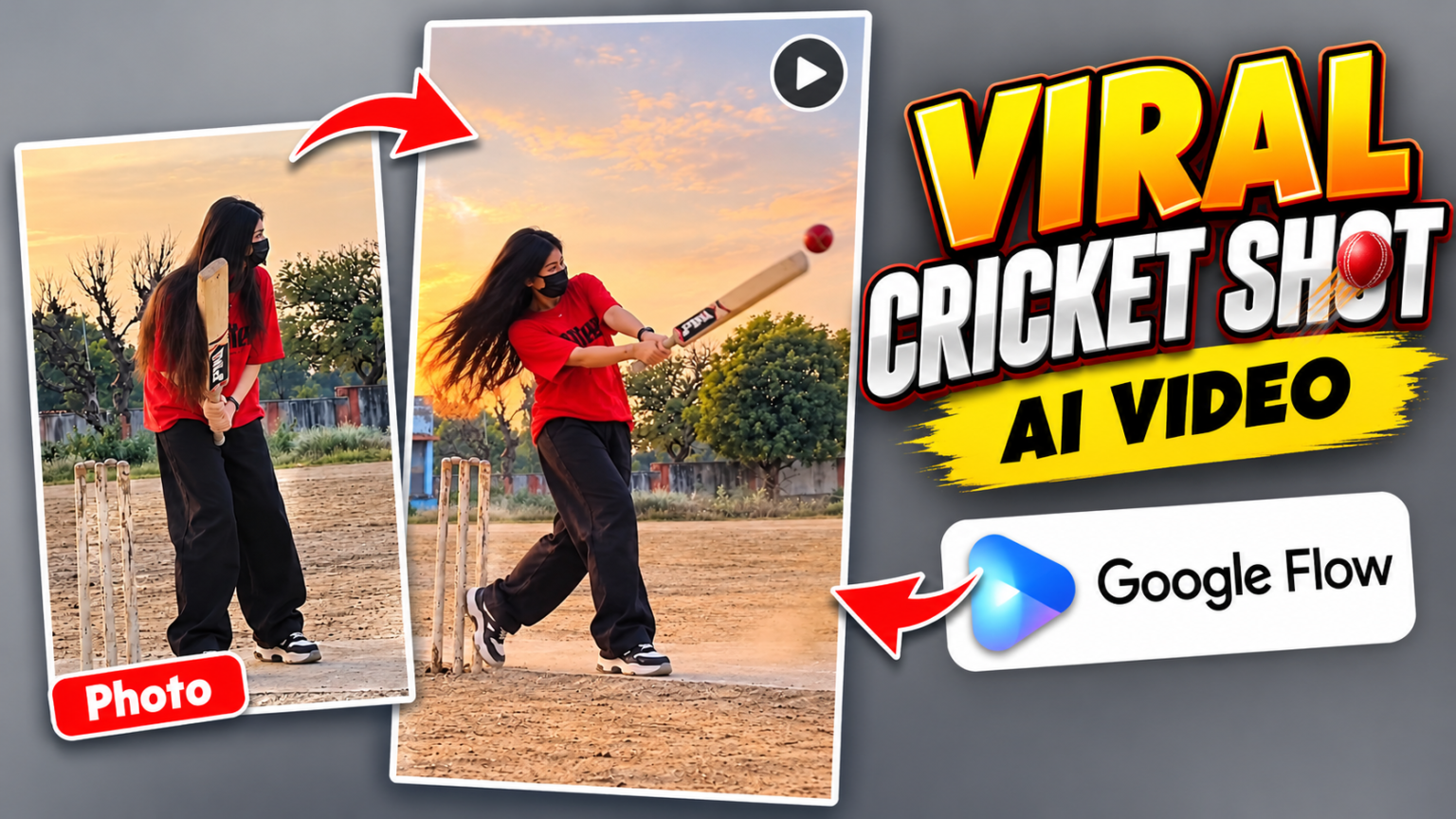
Do you want to create a realistic cricket batting video using AI? Nowadays, cinematic sports videos are a popular idea for Instagram Reels, TikTok, and YouTube Shorts. With the Cricket Shot AI Video Editing Prompt, you can create an exciting cricket scene featuring powerful batting, slow-motion shots, and professional stadium visuals.
Google Flow allows you to generate AI videos from text prompts and, depending on the available model, reference images. You can describe the player’s appearance, cricket ground, batting style, camera movement, and lighting to create your own sports video.
Cricket Shot Flow AI Video Prompt
If you want to create a cinematic cricket shot video, copy the prompt below and use it in Google Flow. For better consistency, you can upload a reference photo of yourself if your selected workflow supports image references.
[COPY THIS PROMPT]
Create a realistic 9:16 vertical cricket video using the uploaded photo as the exact reference. Keep the girl's face mask, red T-shirt, black loose pants, hairstyle, and appearance unchanged. On the same dusty cricket ground at sunset, a bowler throws a cricket ball toward her. She watches the ball and confidently hits it with the bat, sending it flying into the distance. Natural body movements, realistic ball physics, fixed camera, authentic smartphone video, no scene changes.
How to Create a Cricket Shot Video in Flow AI
Follow these simple steps to generate your cricket video.
- Open Google Flow: Visit the official Flow website and start a new project.
- Choose Video Generation: Select an available video-generation model.
- Copy the Prompt: Paste the cricket shot prompt into the prompt box.
- Set the Format: Choose a vertical 9:16 aspect ratio if the option is available.
- Generate Your Video: Start the generation process and wait for the result.
- Improve the Result: If the batting action looks unnatural, refine the prompt and generate another version.
- Save and Share: Export your video when available and share it on your social media accounts.
You can access the official Google Flow website to explore its video-generation features.
Tips for Better Cricket AI Videos
Use clear descriptions such as “realistic cricket batting technique,” “slow-motion bat contact,” and “cinematic stadium lighting.” If you want a particular shot, specify a cover drive, pull shot, or straight drive. Keep the prompt focused on one main action for more consistent results.
Final Words
The Cricket Shot AI Video Editing Prompt is a fun way to create cinematic cricket videos without filming an actual match. Try this Flow AI prompt, experiment with different batting shots, and create your own sports video for Instagram Reels and TikTok.